Campaign Dashboard
The Campaign Dashboard is your central hub for managing a campaign. It uses a tabbed interface to organize different aspects of your campaign.
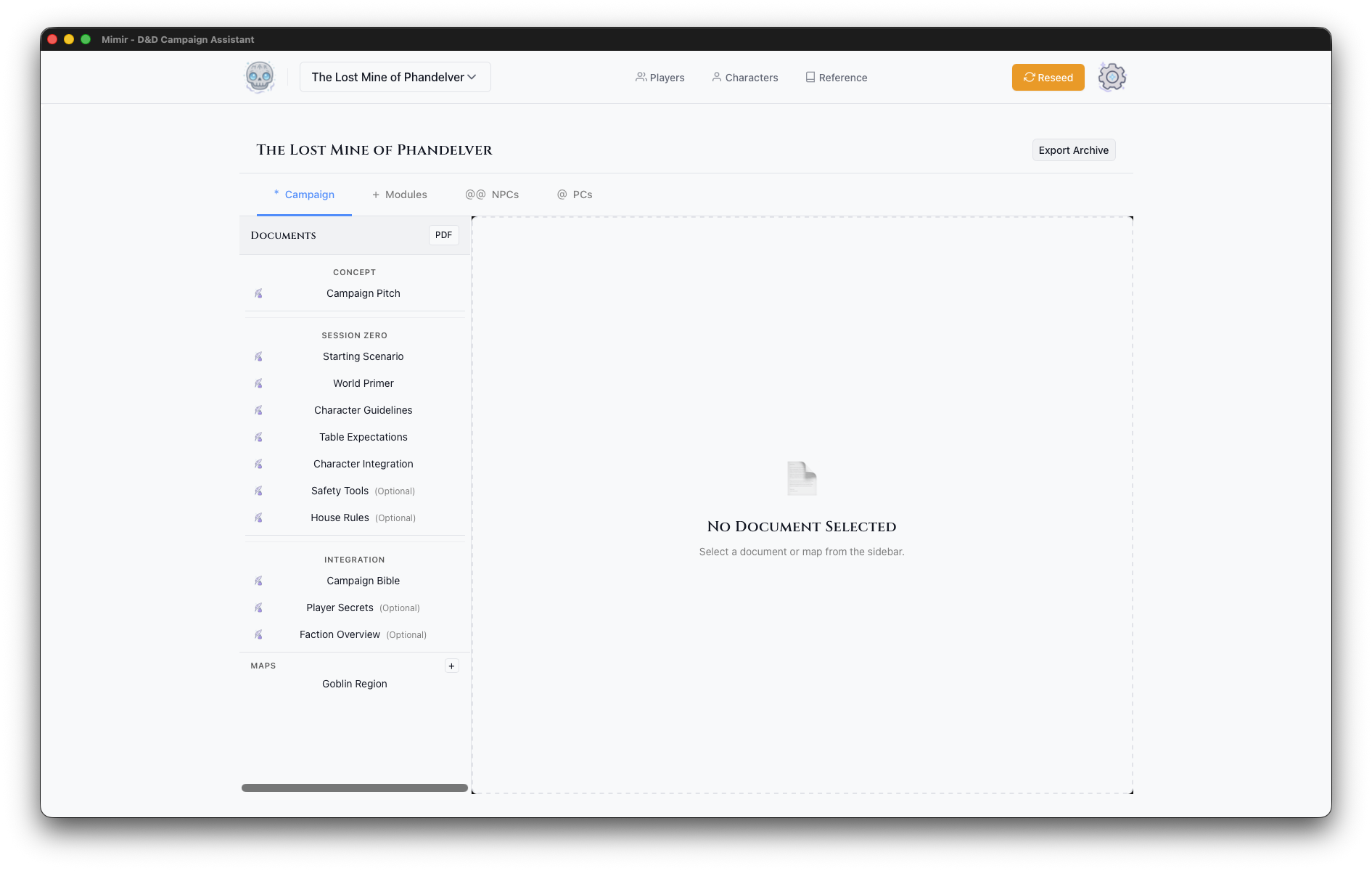
Header
- Campaign Name — Displayed prominently at the top
- Sources — Configure which D&D source books are enabled for this campaign
- PDF — Export campaign documents as PDF
- Export Archive — Export campaign as
.mimir-campaign.tar.gzarchive
Tabs
Campaign Tab
The world-building hub with a two-panel layout:
Sidebar (Left):
- Documents — Campaign-level documents for lore, setting notes, factions, and world-building. Create new documents with the + button. Reorder with up/down arrows.
- Maps — Campaign-level maps (not tied to a specific module). Upload with the + button.
Main Panel (Right):
- Opens the document editor when a document is selected
- Shows a map preview when a map is selected
- Maps can be exported to PDF or deleted from the preview
Modules Tab
Adventure modules within this campaign:
- Module List — Table showing all modules with action buttons
- Play — Enter Play Mode for a module
- Open — Open the module prep view
- PDF — Export module materials
- Create Module — Add new adventure modules with the + button
NPCs Tab
Non-player characters for this campaign:
- NPC List — All NPCs across modules
- NPC Details — Stats, notes, role, location, faction
- Create NPC — Add new NPCs
PCs Tab
Player characters assigned to this campaign:
- PC List — Characters in this campaign
- Add Existing — Assign existing characters to the campaign
- PC Details — Full character sheets with tabs for stats, equipment, spells, and details
Homebrew Tab
Custom content for this campaign:
- Items — Create or clone items from the catalog
- Monsters — Clone and modify monsters from the catalog
- Spells — Clone and modify spells from the catalog
See Homebrew Content for detailed guides.